Learn
Short lessons that build something small in your own project. Each lesson takes about ten minutes, has five to seven steps and ends with something that runs. Start with an empty level; the example map of the plugin is the finished result to compare with.
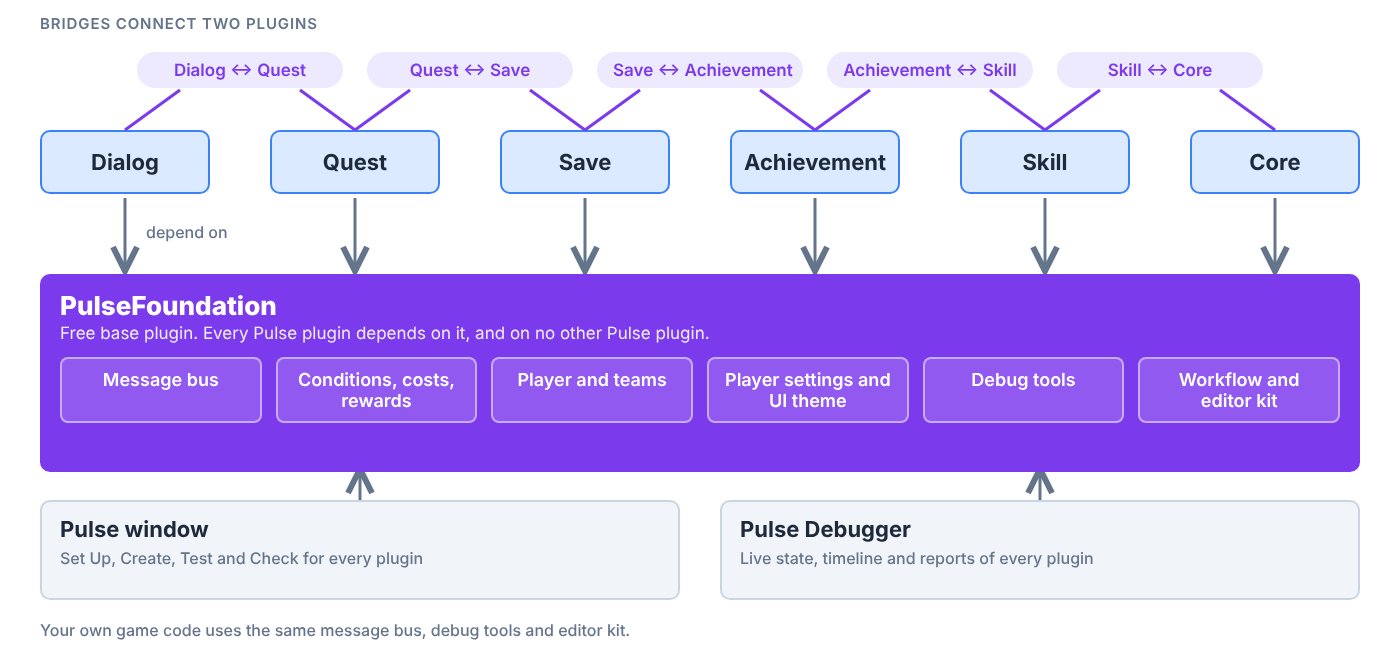
The lessons here teach the basics every Pulse plugin shares. Each Pulse plugin has its own lessons under Learn in its docs.
Lessons
| Lesson | Track | Time | You build |
|---|---|---|---|
| The Pulse window | Blueprint | 8 min | A plugin set up, with a green check |
| Plugins talk through messages | Blueprint | 10 min | A Blueprint that reacts to a Pulse message |
| Your game in the Pulse Debugger | C++ | 15 min | Your own snapshot category and timeline events in the debugger |
| Your own editor kit asset | C++ | 15 min | A data asset that opens in the config workshop |
How the lessons work
- Any order. Nothing is locked. A lesson that builds on another one says so at the top.
- Blueprint or C++. The track is named in the table. C++ lessons never write source for you: you copy the code from the lesson, then build.
- In the editor. Pulse HUB can walk you through a lesson: it checks your steps, shows you the button to press and can do a step for you. Open the lesson in the Pulse Docs tab and choose Start in editor.
- On the web. The same text works as a plain page. The steps you finished are remembered in your browser only.