Interaction
Gameplay waves (wave events)
A wave event is a ring wave that spreads from a point: something heavy falls into the water, an explosion, a boss jumping out of the sea. It moves the water up and down only.
FPulseWaterWaveEvent wave;
wave.Origin = ImpactLocation;
wave.Amplitude = 30.f;      // cm at the origin
wave.Wavelength = 600.f;    // cm between crests
wave.Speed = 800.f;         // cm/s of the front
wave.PacketWidth = 1200.f;  // cm, about the number of crests times the wavelength
wave.Lifetime = 8.f;        // s until it has faded out

UPulseWaterSubsystem::Get(this)->SpawnWaveEvent(wave);
- Call
SpawnWaveEventon the server. The wave startsWave Event Start Delayseconds later (project settings), so clients have it before the water moves. On a client the call only adds a local wave. - Only clients near a wave get it. The world is divided into cells (
Wave Event Cell Size, 256 m); the server sends a wave through every cell it reaches (Speed * Lifetimeplus three packet widths), and clients withinWave Event Relevancy Distance(1 km) of such a cell receive it, also when they come near while it still runs. A client farther away does not know the wave; its boats are not there either. Each cell is anAPulseWaterEventReplicatorthat the subsystem spawns on demand; without running waves it is dormant and afterWave Event Cell Idle Timeit is removed. A wave that reaches more thanMax Cells Per Wave Eventcells (64) only goes through the cells nearest to its origin, with a warning in the log: keep waves that must be seen from far away short and fast enough. PulseWaterWavestarts a wave in front of you andPulseWaterWaveslists the waves a machine knows, see Console.- The wave is part of every water query and of the ocean surface, on every machine with the same water time. Boats and floating objects ride it on the server and on clients alike, without extra corrections.
- The amplitude falls with the square root of the distance and fades out over the lifetime. Keep the steepness (
Amplitude * 2 PI / Wavelength) below about 0.3; steeper waves look like walls and flip small objects. Max Gpu Wave Events(project settings) limits how many waves the ocean material shows at once; the ones closest to the view are kept. Queries always use all of them.
Floating objects
Add a Pulse Water Buoyancy component (module PulseWaterPhysics) to an actor whose root simulates physics: crates, barrels, wreckage. Buoyancy and water drag act at its pontoons, spheres relative to the simulated primitive. Without pontoons it creates eight at the corners of the bounds.
| Property | Meaning |
|---|---|
Pontoons | Floating spheres. More pontoons follow the waves more closely. |
BuoyancyScale | Scales the buoyancy of the submerged volume (the density comes from the liquid); tune how high the object floats with it. |
LinearDrag / QuadraticDrag | Drag against the moving water per pontoon. The waves push objects along. |
AngularDamping | Damping of the rotation in the water. |
bApplyOnClients | Clients also apply the forces to replicated physics objects, which keeps their extrapolation close. |
OnEnteredWater and OnLeftWater report the velocity when the object hits or leaves the water, e.g. for splashes; OnSubmerged and OnSurfaced when it goes completely under the surface and comes back up (...Native in C++). On the server the same moments are messages for the rest of the game.
Every frame the component queues its pontoons for the query batch of the water subsystem, which runs after it in the pre-physics tick group (in parallel for many objects); the forces are added right after the batch, before the physics step.
Physics is real physics here: a homogeneous cube that is about a third as dense as water floats with an edge up, not flat. Move the pontoons or the center of mass if an object should float differently.
Floating decoration
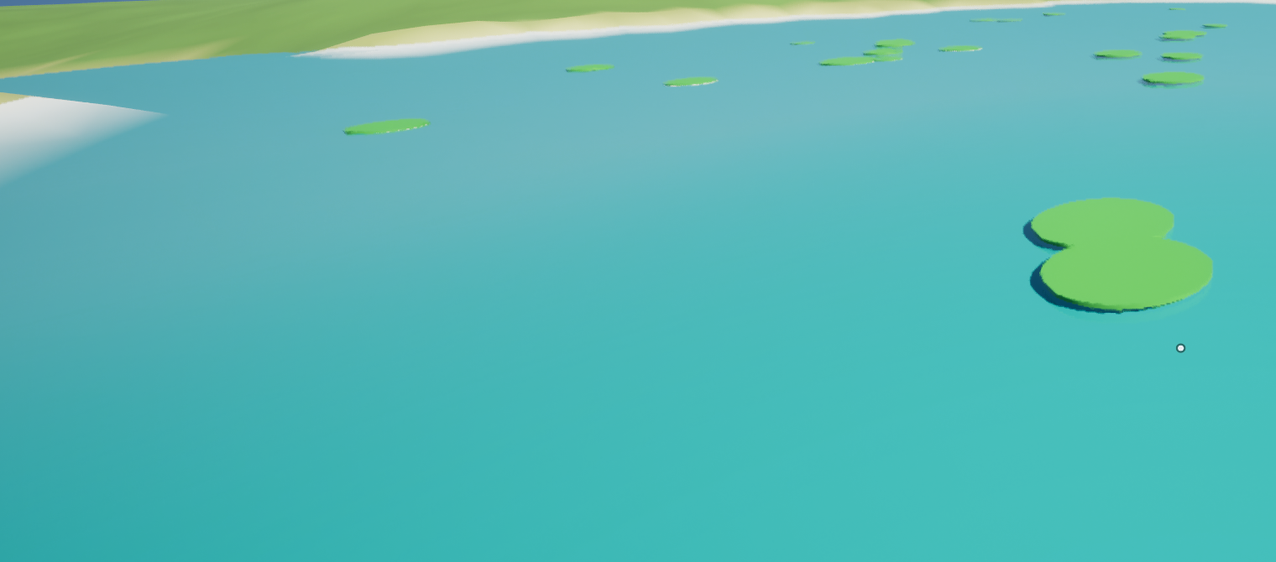
Debris, leaves, lily pads and buoys without gameplay need no physics: a Pulse Water Floating Instances component (module PulseWaterInteraction, an instanced static mesh component) lets thousands of instances ride the waves in the vertex shader, without CPU cost. The ocean example has a field of planks, the terrain example lily pads on its lake.
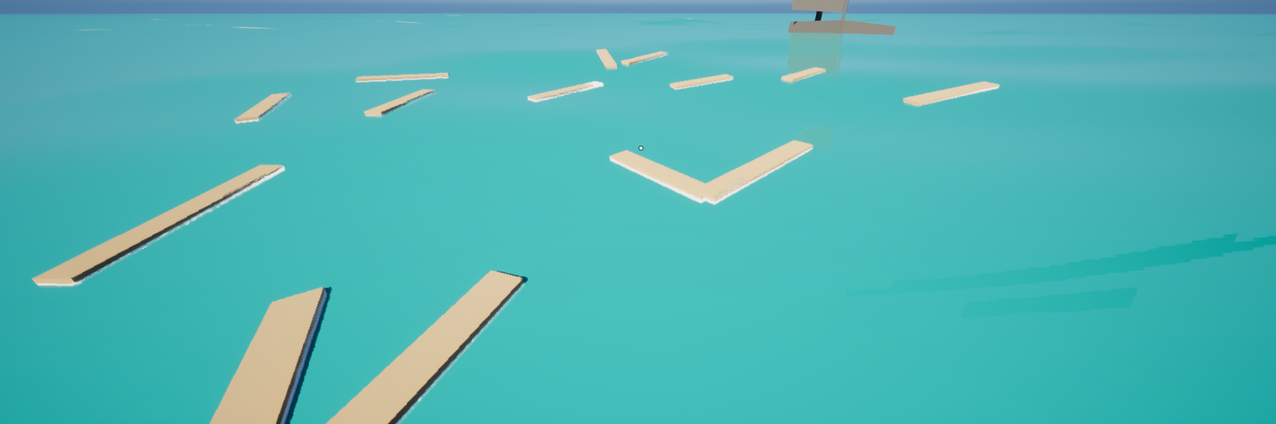
- Add the component to an actor and give it a mesh and instances like any instanced static mesh component (for example an Empty Actor with Add > Pulse Water Floating Instances, or the component class of a PCG static mesh spawner).
- Give it a material with MF_PulseWater_Float connected to World Position Offset, or the plugin’s
MI_PulseWater_Floating(a plain color). Set it inWater Materialsor on the mesh; materials set in the material slots of the component end up inWater Materialstoo. Edits of the source material in the editor reach the copies right away. - Put the pivot of the mesh at its waterline. The engine cube and cylinder have their pivot in the middle, so they float half under water;
Float Heightin the material moves the pivot up or down.
The component finds its water at the middle of its instances (the ocean, a lake, a river, fluid water) and asks again every second. It renders with copies of its materials that get the waves, the water time and that water; the copies are never saved. Every instance follows the water at its pivot: up and down, along the orbit of the waves (Float Drift), tilted by the surface (Float Tilt) and swaying around its up axis (Float Sway, each instance in a rhythm of its own). On a lake the instances float at its calm level with its waves; rivers and fluid water are flat, so things there keep their place. Ring waves (wave events) lift and tilt the instances on the ocean.
| Material parameter (group Floating) | Default | Meaning |
|---|---|---|
Float Height | 0 cm | Height of the pivot above the water surface; negative values sink it. |
Float Tilt | 0.8 | How much the instances tilt with the surface (0 = they stay upright). |
Float Sway | 6 degrees | How far the instances sway around their up axis. |
Float Drift | 1 | How much they follow the horizontal motion of the waves (0 = only up and down). |
| Component property | Default | Meaning |
|---|---|---|
Water Materials | none | Materials of the slots, each with MF_PulseWater_Float; an empty slot uses the material of the mesh. |
Max Displacement | 400 cm | How far the waves move the instances at most; widens the bounds, so instances moved into view are not culled. |
Update Water finds the water again at once, e.g. after the instances moved to other water; Get Water Mode says what the component found (Still, Water Body, Ocean).
Instances that cut the water surface get the shore foam of the water material around them, like a plank in the surf. Thin things that should not foam lie a little higher: the example lily pads use a Float Height of 1.5 cm. Materials need the usage Instanced Static Meshes. M_PulseWater_Floating widens the culling bounds of every instance by its Max World Position Offset Displacement (10 m); set it in your own materials too if instances pop at the edge of the screen. Collision and water queries do not move with the instances: they are decoration only.
Ripples and wakes
Module PulseWaterInteraction. UPulseWaterRippleSubsystem simulates a height field in a square around the view on the GPU (wave equation in a compute shader, fixed steps). The water materials read it as PW_RippleTexture and PW_RippleInfo and tilt their normals and add foam with it. It is visual only: queries are not affected and nothing is simulated on a dedicated server.
Add Pulse Water Ripple Source components where things move through the water: characters, floating objects, the hull of a boat (bow, sides, stern). A moving source pushes the water down; the ripples spread and a wake forms behind it.
| Property | Meaning |
|---|---|
Radius | Size of the disturbed water. |
Strength | Push in cm/s per m/s of speed. |
VerticalFactor | How much moving up and down counts (splashing). |
MinSpeed / MaxHeightRate | No ripples below this speed; upper limit of the push. |
FoamRate | Wake foam the source adds at its center per second, per m/s of speed. |
The ocean material has RippleNormalStrength, RippleFoamStart / RippleFoamEnd (ripple height in cm where foam starts and is full) and RippleFoamStrength.
Wake foam
The ripples leave foam that stays and fades. Steep ripples foam (bow waves, splash rings), every ripple source adds foam where it pushes the water (FoamRate), and splashes and waterfalls leave foam where they hit the water (Foam of the splash definition and of the waterfall). The foam spreads a little, fades over Wake Foam Lifetime and breaks into patches as it thins out, so boats and swimmers leave trails. It lies on the grid of the ripples (PW_WakeFoamTexture) and stays where it was made: it does not drift down rivers.
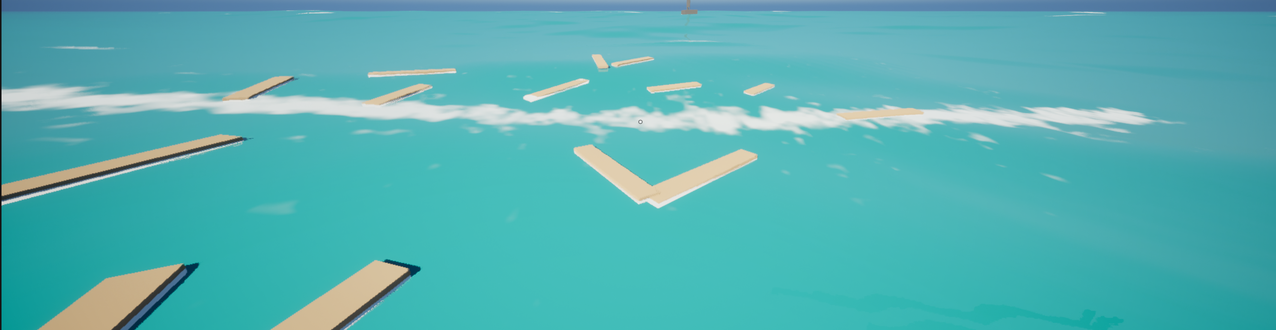
All water materials show it through MF_PulseWater_Ripples: Wake Foam Strength (0 = none) and Wake Foam Patch Scale (size of the patches) in the group Ripples; RippleFoamStrength scales it together with the ripple foam. AddImpulse of the ripple subsystem takes the foam of an impulse as its last value.
| Setting | Meaning |
|---|---|
Resolution / Area Size | Texels per side and size of the simulated square. Lower the resolution on weak platforms. |
Wave Speed | Speed of the ripples, limited for stability by the cell size. |
Damping | How fast ripples die out. |
Step Rate | Simulation steps per second. |
Edge Width | Border in texels where ripples fade out instead of being reflected. |
Wake Foam | Whether the ripples leave wake foam. |
Wake Foam Lifetime | Seconds until the foam has faded to about a third. |
Wake Foam Slope | Slope of the ripples where they start to foam; at twice the slope they foam fully. |
Wake Foam Rate | Foam added per second where the ripples foam fully. |
Wake Foam Spread | How fast the foam spreads to its neighbors (wider, softer trails). |
The console variable Pulse.Water.Ripples.Enable 0 turns the simulation off.
Replacing and switching off subsystems
UPulseWaterRippleSubsystem (module PulseWaterInteraction) is switchable: add it to Project Settings > Pulse > Foundation > Subsystems > Disabled Subsystems when your game does not want ripples and wakes. Ripples are visual only, so nothing else changes: queries, buoyancy and swimming stay. Ripple sources, splashes and waterfalls handle the missing subsystem. How the list works: Replacing and switching off subsystems of Pulse Foundation. The other subsystem, UPulseWaterSubsystem, stays on: every water body and query builds on it.
Spec: PulseWater.Ripple.Subsystems.
Splashes
Add a Pulse Water Splash component (module PulseWaterInteraction) where something hits the water: a character’s feet or hips, the bottom of a crate, the bow of a boat. When its location crosses the water surface it spawns the effects of its Pulse Water Splash Definition at the surface, plays the sound and pushes a ring into the ripple simulation. Splashes are cosmetic and do nothing on a dedicated server; Splash() spawns one by hand, e.g. for a jump.
| Definition property | Meaning |
|---|---|
Enter / Exit | Niagara system and sound for entering and leaving the water. The system gets the user parameters Strength (0..1) and Velocity (cm/s). |
MinSpeed / FullSpeed | Speed through the surface (mostly the vertical part) for the weakest and the strongest splash. |
Scale | Scale of the Niagara system at strength 0 and 1. |
Cooldown | Seconds before the same component splashes again. |
RippleImpulse | Push of the ripple ring at full strength in cm, 0 = none. |
Foam | Wake foam the splash leaves where it hits the water, at full strength (0..1). |
The plugin ships NS_PulseWater_Splash and DA_PulseWater_DefaultSplash (in Effects) as a starting point. The speed comes from the physics body or the owner’s velocity; only without either it is measured from the movement.
Particles of an effect that should splash or float (rain, foam, debris) do that in Niagara itself, with the data interface and the modules on the Niagara page.
Mass entities
Module PulseWaterMass. Add the Pulse Water Sample trait to a Mass entity config: entities with a transform get a FPulseWaterSampleFragment (surface height, immersion depth, normal, surface velocity), which UPulseWaterSampleProcessor fills every frame with one batched water query per chunk. Use it for swimming animals, NPCs or floating debris without actors. The processor runs on the game thread, on the server and on clients.