Baking a river
A baked river is fluid water that costs nothing at run time: it was simulated once in the editor, and the game plays the bake. It flows around rocks and bridge pillars, falls over steps and carries boats and floating objects, with no tick, no network traffic and the same water on every machine. This page walks through it at the river example; the Fluid simulation page is the reference for volumes, sources, obstacles and bakes.
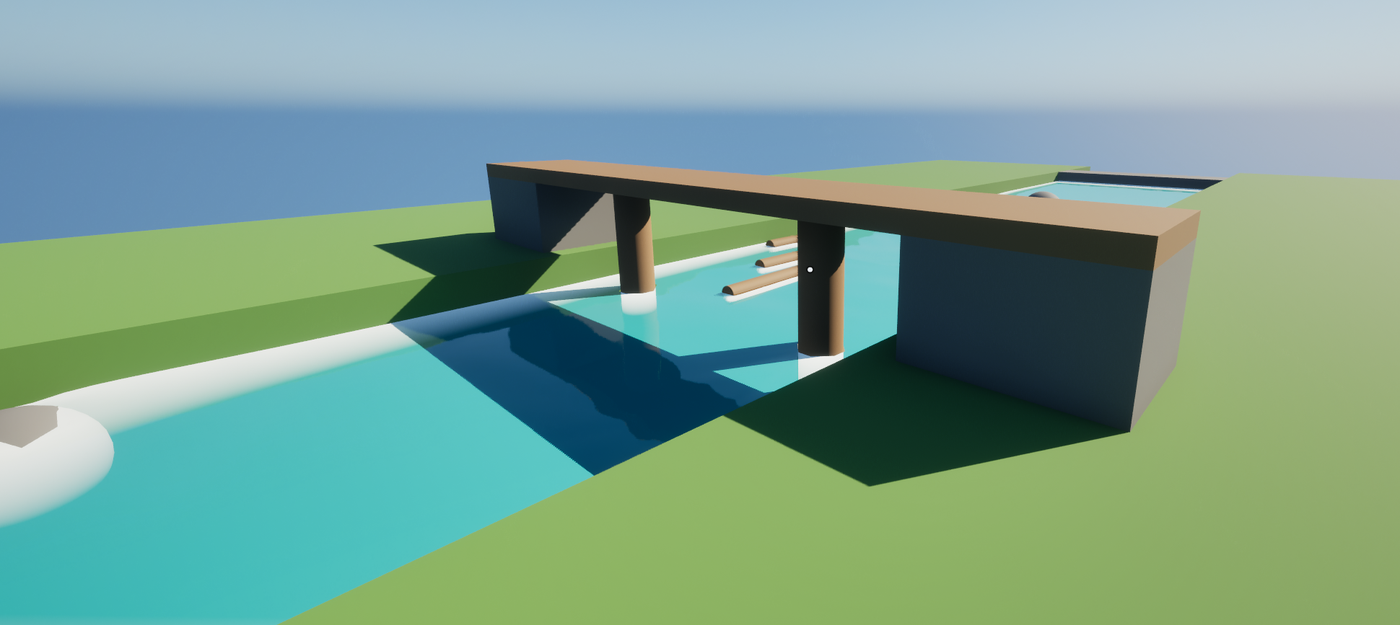
The example map /PulseWater/Examples/River/LV_PulseWater_River is such a river: 48 m through a valley with rocks, a bridge on two pillars and a weir at each end, baked into two fluid volumes. Four logs of driftwood (BP_PulseWater_Driftwood) lie on the water upstream: press Play and they drift down, around the rocks and between the pillars. PulseWaterGrant test puts a boat on the river.
The steps
- A river. The River tool of the Pulse Water mode traces a river down the terrain from a source you click, or connects points you click. Width, depth and speed are per point; paint them with the brush.
- Its bed (optional). On a Landscape, Terrain Shaping of the river cuts its bed into the ground (the Terrain tool). Shape it before baking: the bake keeps the ground it was made on.
- Fluid volumes along it. Bake Flow in the Fluid tool (category River) places fluid volumes along the river: boxes turned along it, the upstream and downstream sides at the level of the river there,
TierBaked, one priority above the river so they answer where they overlap it. It hides the surface of the river if you want, and bakes every volume in the background. A long river becomes several volumes. - What the water flows around. The Fluid tool lists the obstacles it found from above: rocks and pillars that stand on the ground raise it, a bridge deck higher up does not count. Its switch leaves an actor or a whole row out, so the water flows through it; to make something a wall, give it a
UPulseWaterFluidObstacleComponentset toSolid. - Simulate until it settles. The timeline of the Fluid tool plays the simulation of the selected volume and marks when the water settled. Drop debris on it to see the current.
- Bake. Bake keeps the water at the playhead (
Stationary; a river’s surface moves with the flow in the material) or a span of the Loop track (Loop, for eddies that repeat). It runs in the background; the bake asset lies next to the level. - Play. The volumes answer the water queries from their bakes: buoyancy, boats and splashes see the river.
Floating objects
BP_PulseWater_Driftwood is a static mesh actor that simulates physics (a cylinder of 35 by 220 cm, 100 kg) with a UPulseWaterBuoyancyComponent. It replicates its movement: the server simulates, clients follow, and with bApplyOnClients they apply the forces too, so they stay close between updates. Its five pontoons lie along the log, as thick as the log; BuoyancyScale 1.8 lets it float about half under water.
Set the pontoons by hand for long or thin objects. Without any, the component puts eight at the corners of the bounds, with half the smallest extent as their radius: for a log they hold too little and it sinks.
When the level changes
A bake keeps the ground, the obstacles and the sources it was made with. Move a rock or change the river and the volume’s bake no longer fits: the Pulse Water mode marks the volume yellow, and the Pulse Check lists it with Bake Again (and Bake All Again). The bake editor shows which volumes use a bake and which of them changed.
The guide
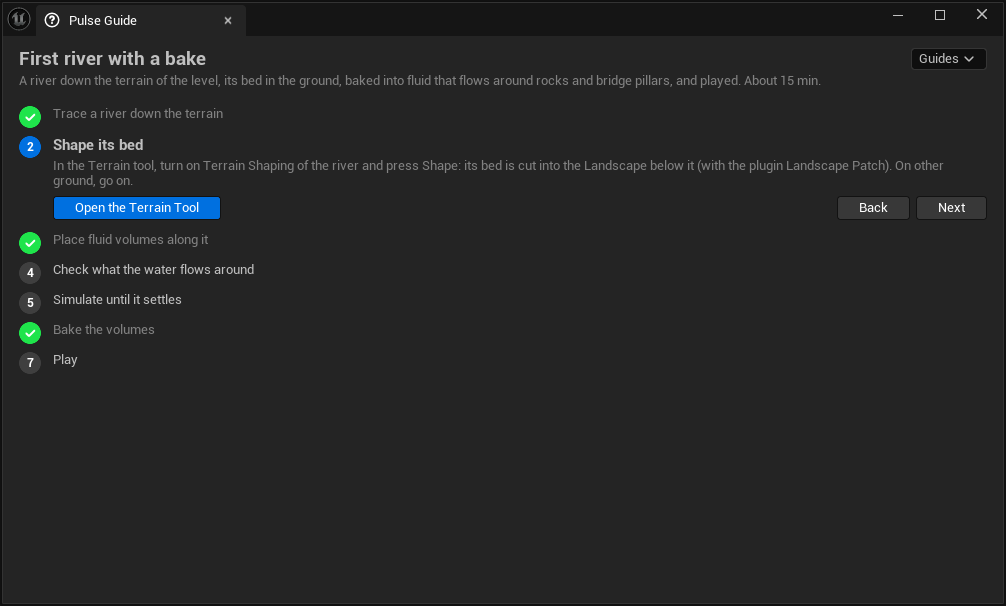
The guide First river with a bake walks through these steps in your own level: Guide on the Water workflow tab of the Pulse window, or Pulse.Guide PulseWater.FirstRiver in the console. Steps that are done are checked off as you work; the buttons open the tool of a step or do it.
From a script
import unreal

lib = unreal.PulseWaterEditorLibrary
river = next(a for a in unreal.get_editor_subsystem(unreal.EditorActorSubsystem).get_all_level_actors()
             if isinstance(a, unreal.PulseWaterRiver))

# Volumes of at most 24 m with cells of 25 cm, the river surface hidden; each bakes in the background
volumes = lib.bake_river_flow(river, 2400.0, 25.0, True)

# Or only place them, and bake later with the Fluid tool or the Pulse Check
volumes = lib.place_river_flow_volumes(river, 2400.0, 25.0, True)
IsFluidBakeRunning says whether a bake of the Fluid tool runs; the other functions of the Fluid tool are listed in Editor mode.